Web Features
Request Documents from Suppliers
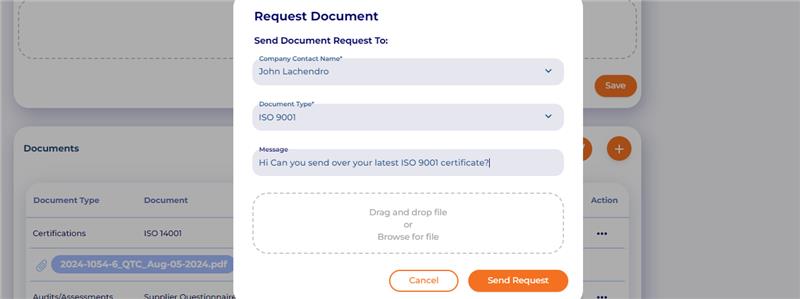
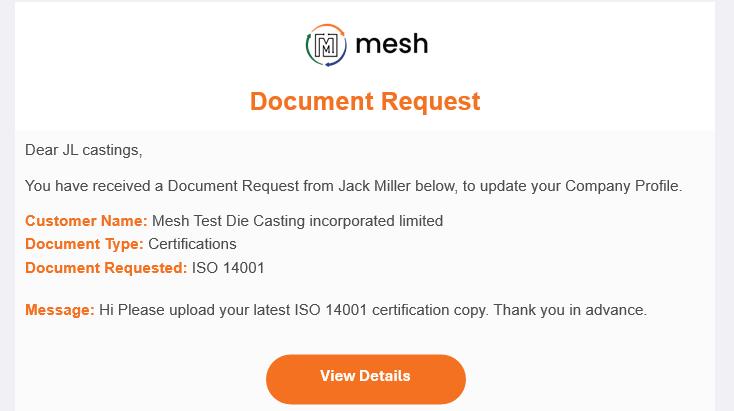
From the My Supplier profile (located in Partners), in the Documents section, you can request documents from the supplier. The supplier will receive an email with a link to upload the document and return it to you. Once returned, the document will be placed in the correct area of the My Supplier profile.
Initiate the Request from the My Supplier-> Documents section of the profile:
 Supplier is notified of the request:
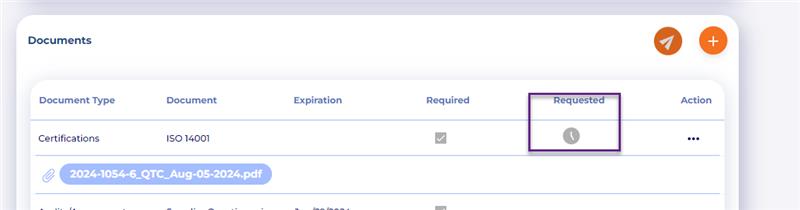
 You can see the request is pending on the document listing in the supplier’s profile:
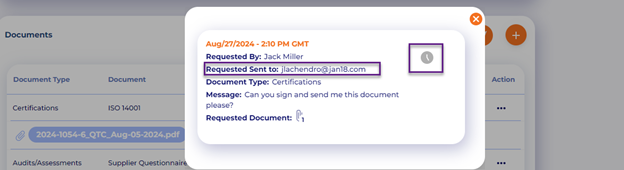
 View the document history to find who, when it was requested, by who, and where the request was sent
 Returned documents are placed in their rightful location within the supplier profile:
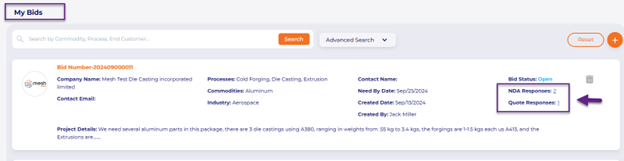
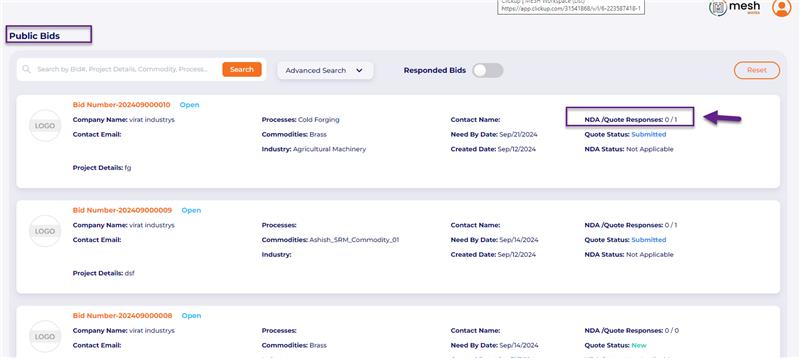
 MESH Marketplace Responses: See # of NDA and Quotes received on the main listing page for each bid.
All responses from potential suppliers will now be shown on the main listing page.
View on the My Bids page:
 View on the Public Bids page:
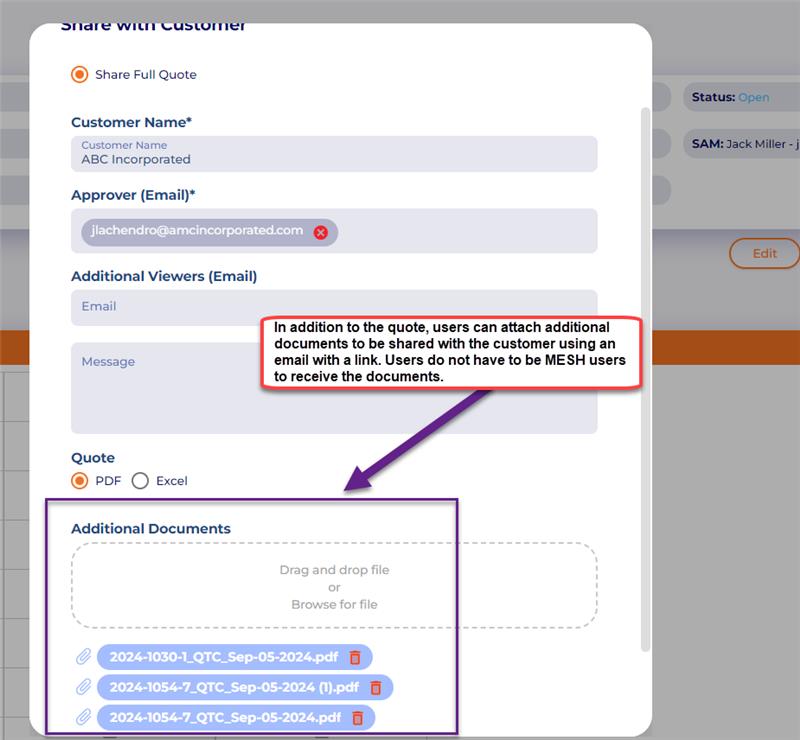
 Quote to Customer (QTC) Sharing: Allow users to attach additional documents to the quote email before sending it to the end customer. The end customer does not have to be a MESH user to receive the link and access the documents.
In addition to the quote being shared via email link, users can attach additional documents to the recipient.
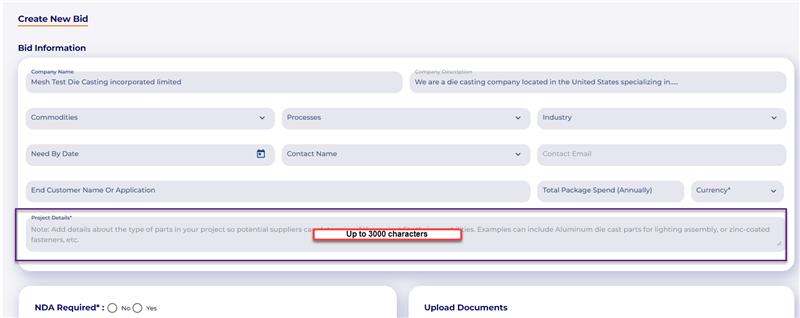
 Marketplace-> Bid creation: increase the character limit to 3000 characters.
Project description field can now accept up to 3000 characters
 Document Compliance Module
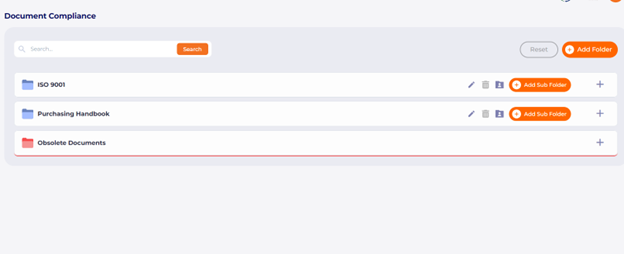
Using the MESH Compliance module, users can create and maintain a secure, cloud-based repository of controlled documents for their organization. This is a simple tool for organizations required to maintain ISO 9001 documentation repositories (or similar) and maintain their documents in an environment that is accessible to all in the organization.
Create unlimited document libraries for various needs, such as maintaining crucial ISO 9001 documentation that must be updated and referenced annually.
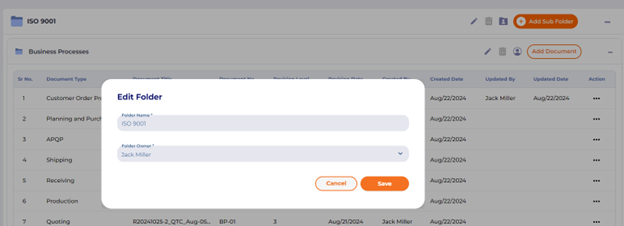
Set owners of each folder to control access to the folder and all subfolders within it.
Set custom, individualized permissions for subfolders within your organization so that only the right departments and users can see or access what they need.
Add revisions and history to maintain a record of all previous versions of documents.
Image of document “folders” or libraries
 Name your library and appoint owners of the library to control who can make changes.
 Create subfolders for different departments and processes, tracking the document’s history in MESH.
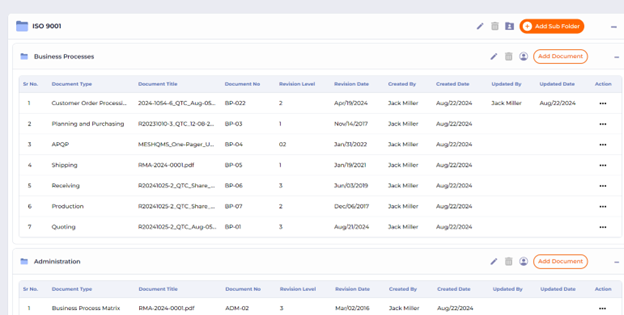 Subfolders can have customizable, individualized permissions for read/view only, write/edit, or no permissions.
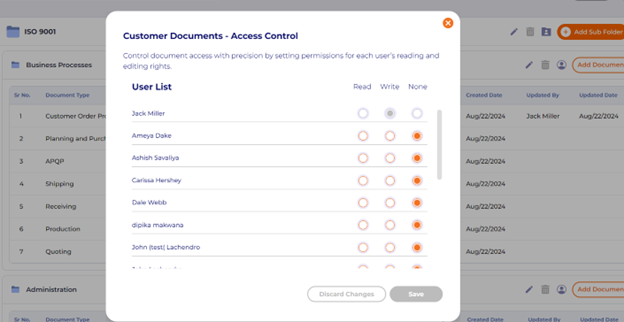 Users can access the repository from the cloud to download or view the documents, make necessary changes, or upload revisions.
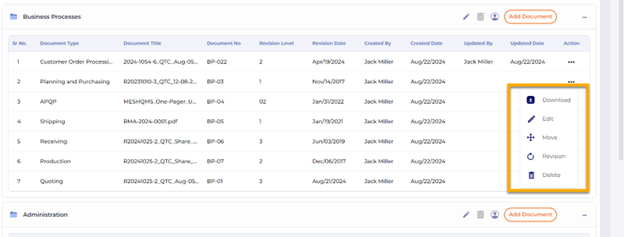
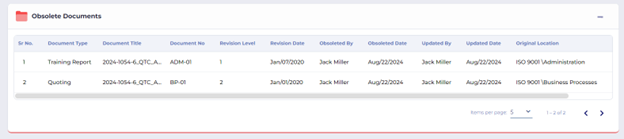
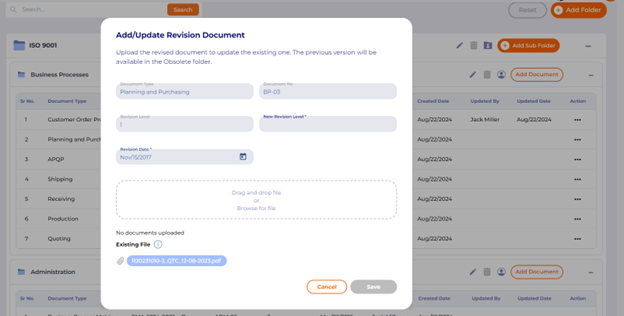 Former versions of documents are saved in an obsolete folder for future reference. The search bar at the top of the page allows users to find all relevant documents.
 APQP Document Requests: Request documents from external users for each APQP project.
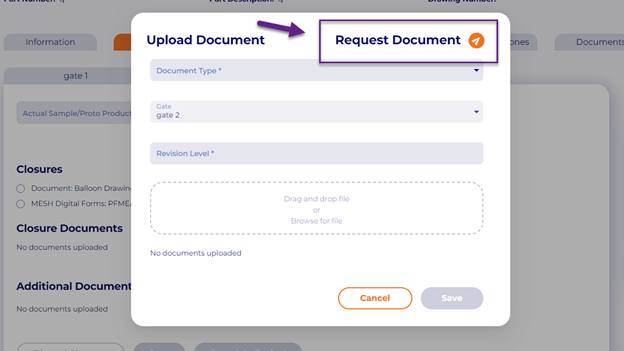
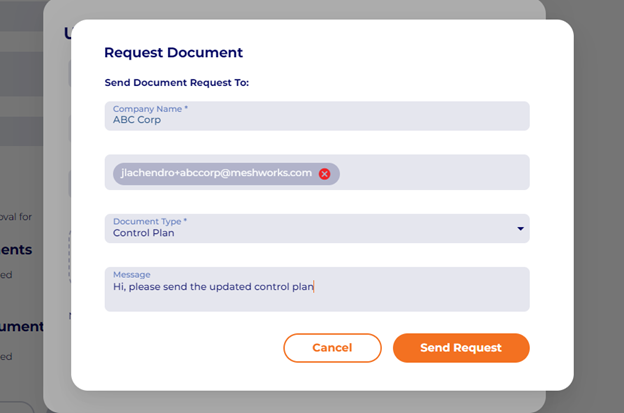
In APQP projects, users can request documents from external users, track the history of the request, receive documents for projects, and have them placed in their proper gate locations upon receipt:
The user initiates a request from the document section of the APQP gate:
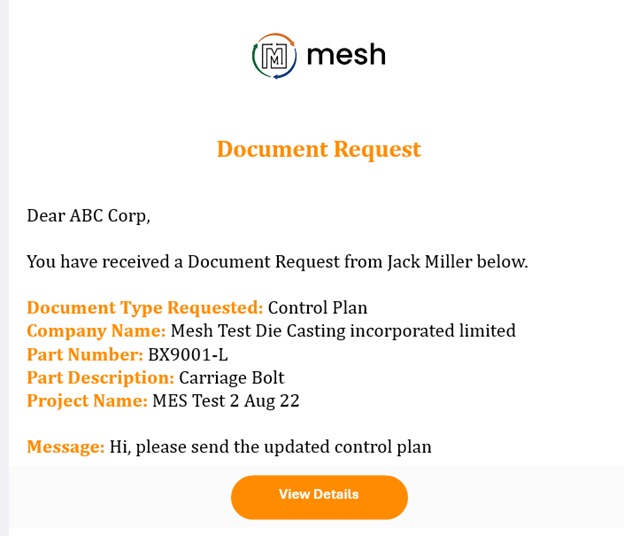
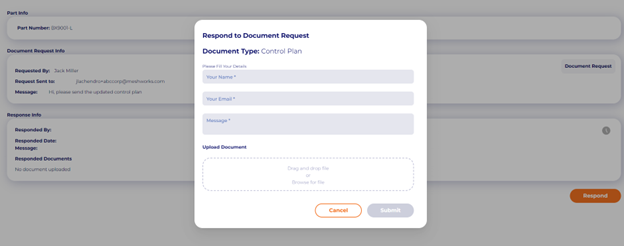
 The external user receives an email and links to upload the document
 External user(s) upload the document and details.
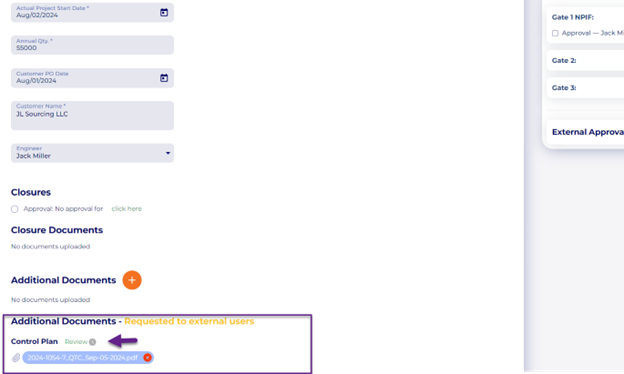
 The requestor receives the document and can be approved or rejected accordingly.
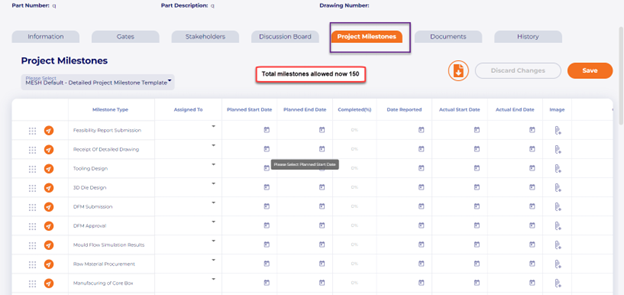
 APQP milestone templates: increase the maximum # of milestones in a template. Previously, project milestones could only contain up to 100 milestones. We have increased this limit to 150:
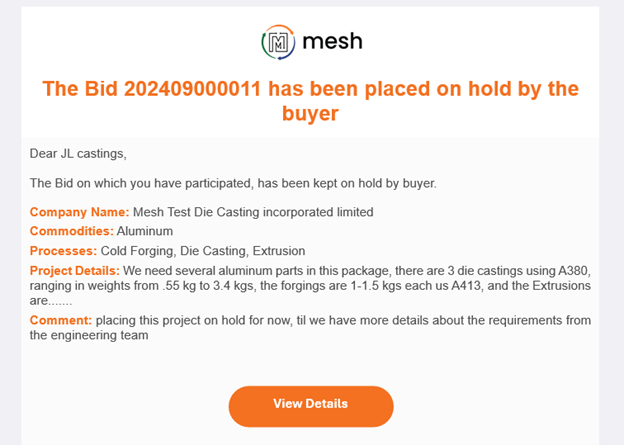
 MESH Marketplace Notifications: The system now notifies all participating suppliers in bids when projects are placed on hold, completed, or marked as closed. This will only be sent to suppliers who have requested permission to bid by submitting an NDA or those who have already submitted their quotation/response to the bid.
 Mobile App
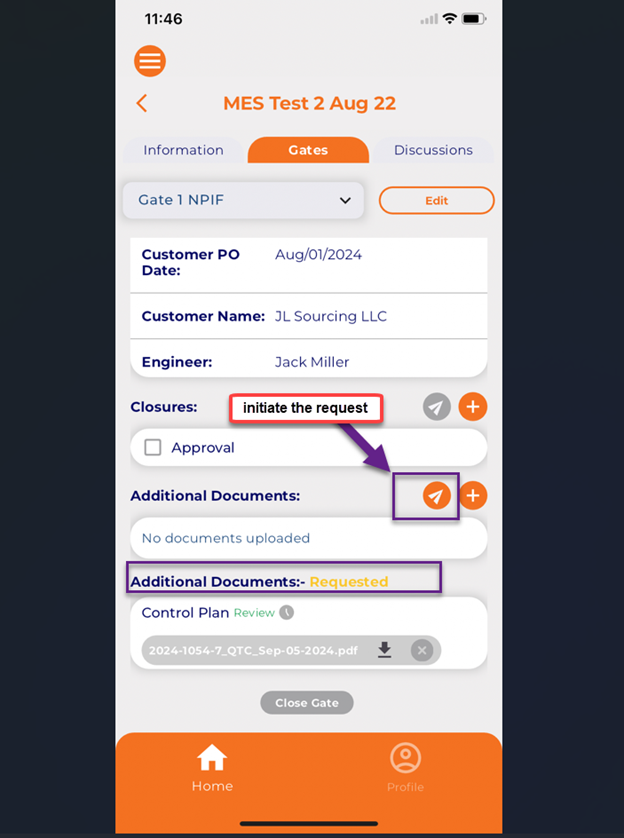
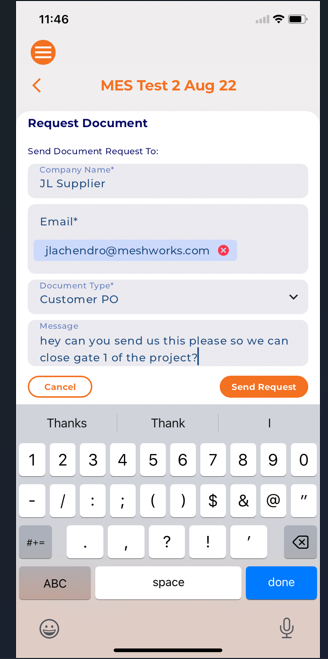
APQP Document requests: Request documents from external users for APQP projects
Similar to the web version, we have also released the feature to request documents from external users in mobile.
Initiate the document request from any gate in APQP
 Enter the details of whom you would like to request it and select “send request.
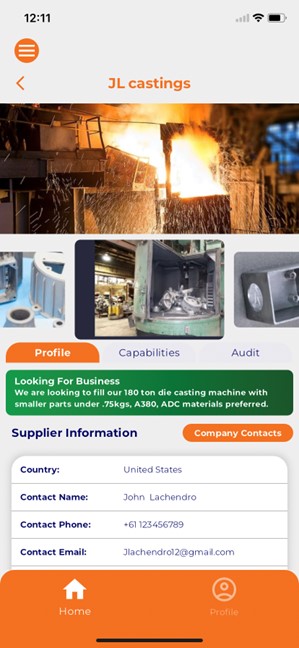
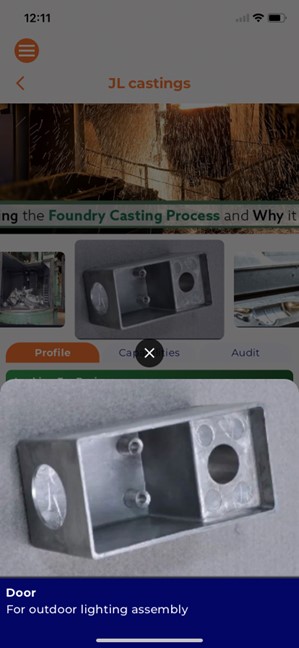
 Premium Supplier Profile Photo Gallery: added the photo gallery to mobile supplier profiles.
The mobile app will now render background photos and product sample photos when buyers view supplier profiles. This feature only applies to supplies who have upgraded to premium profiles.