November 2024, Release Notes

MESH Works

QMS- Web Portal

Parts Library – Parts – Document management module added

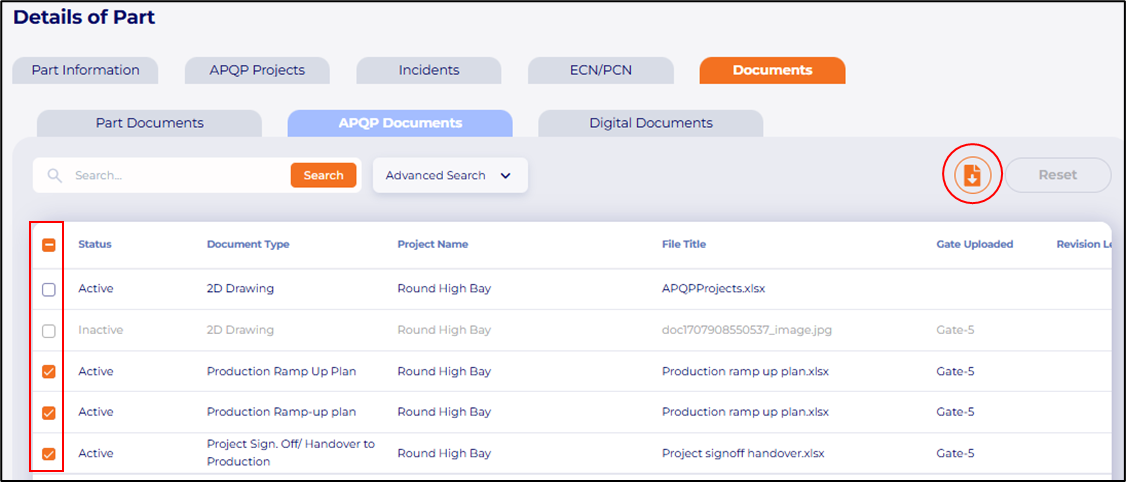
a. Repository of all APQP project’s documents is now added to Parts document tab allowing users to access and manage documents from parts.

Nov24_1.pngb. Multiple documents can be downloaded in a .zip file.
Nov24_2.pngAPQP Projects – Project – Incidents tab added

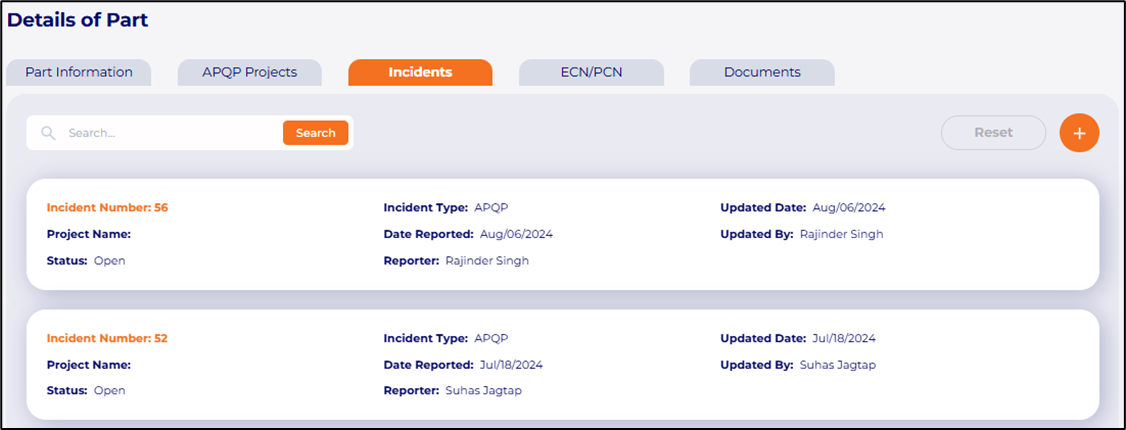
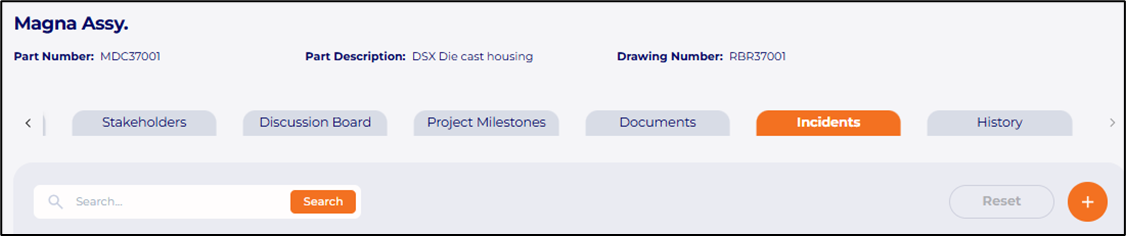
a. Incidents are now linked with parts and APQP projects and can be reported inside parts and APQP projects.
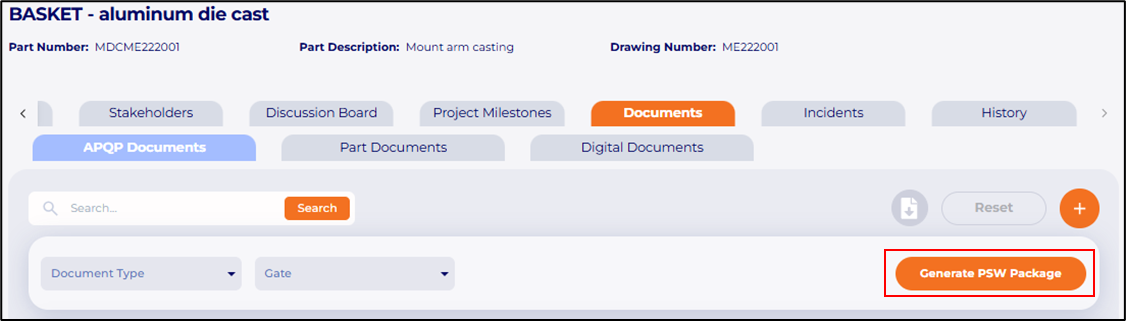
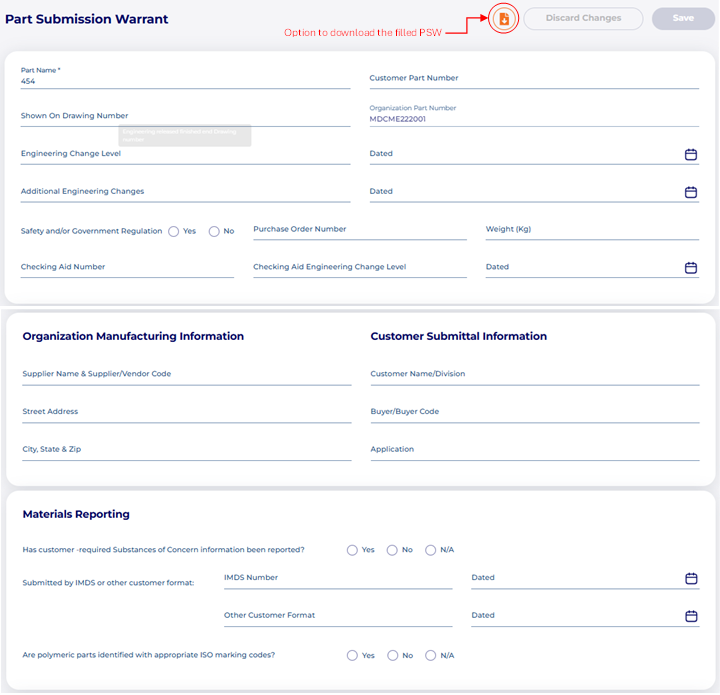
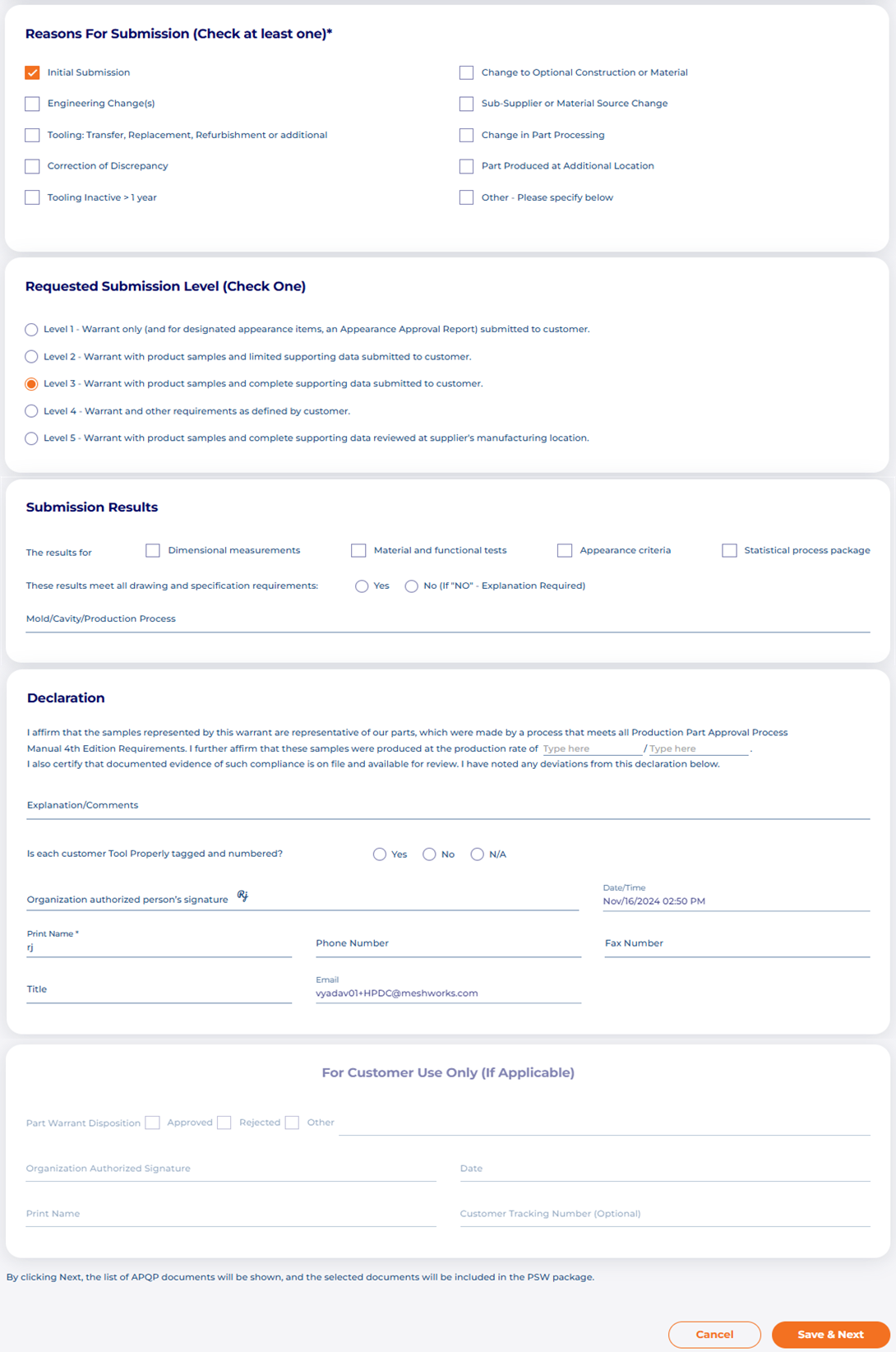
Nov24_3.pngNov24_4.pngNov24_5.pngAPQP Projects – Project – Generate PSW Package

a. Users can now generate PSW that complies with the AIAG standards after all PPAP requirements have been fulfilled. A Part Submission Warrant (PSW) is a formal document used in the PPAP to confirm that a supplier’s production part meets all customer requirements. It is submitted to the customer for approval before mass production begins.

Nov24_6.pngNov24_7.pngNov24_8.pngSRM

MESH Sourcing – Unpaid version added to the portal

a. Sourcing is now available to all users, offering both a paid and unpaid version. This will enable buyers to utilize our supplier database effectively, allowing them to explore supplier profiles in greater details including capabilities and MESH ratings for a more comprehensive supplier qualification process.

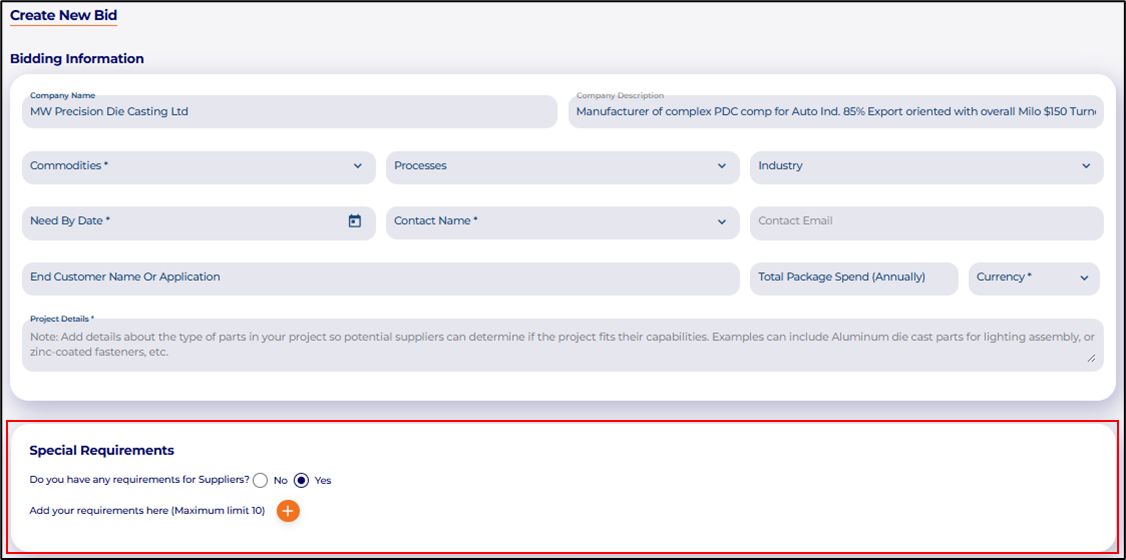
Nov24_9.pngMESH Marketplace – Special requirements section added to buyers placing bids

a. Buyer can now add special requirements/ prerequisites that suppliers must respond to. It serves as a short questionnaire, enabling suppliers to quickly determine if they qualify for a project while helping buyers identify which suppliers align with their requirements.

Nov24_10.pngSupplier profile – Capabilities and Certifications

a. Certificate expiration reminders are enhanced to suppliers. Suppliers will receive mail reminders regarding certificate expiration ten days in advance, as well as a final reminder one day prior to the expiration date. This will ensure that they remain compliant, avoid lapses in certification and maintain uninterrupted business operations.

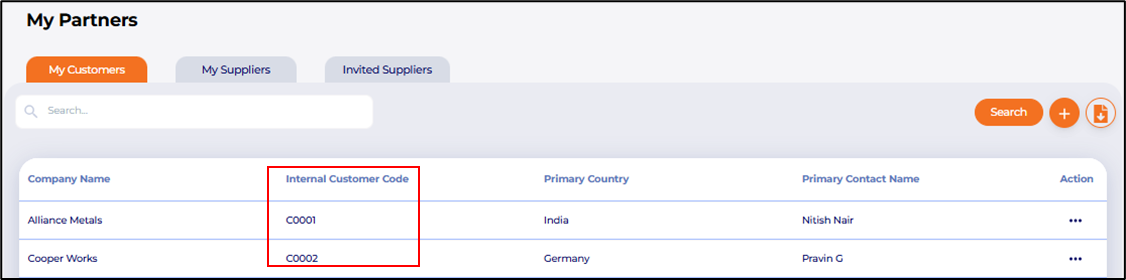
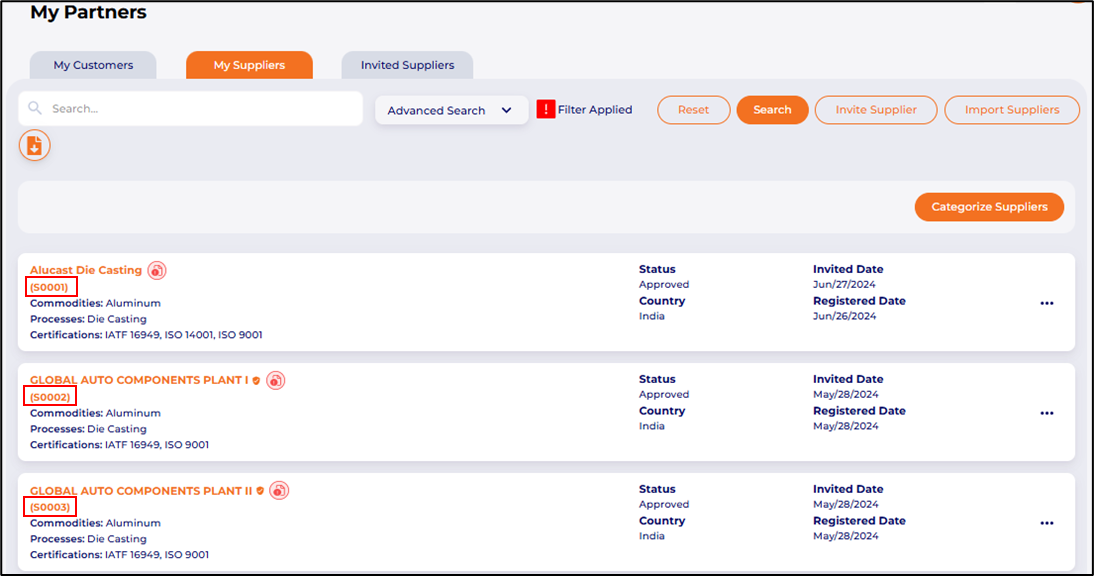
My Partners – Customer and Vendor codes added

Customer and vendor codes are added as they are crucial for accurate identification, efficient tracking and avoiding error in data management.

a. My Partners – My Customer

Internal customer code added to customer information.

Nov24_11.pngb. My Partners – My Suppliers

Internal vendor code added to supplier information.

Nov24_12.pngPortal

Parts Library – Parts

a. Hyperlink to associated RFQ’s and Project requests is added to parts. This will allow users to track project-specific requirements, streamline procurement and ensure alignment with project goals.

Nov24_13.pngMobile App

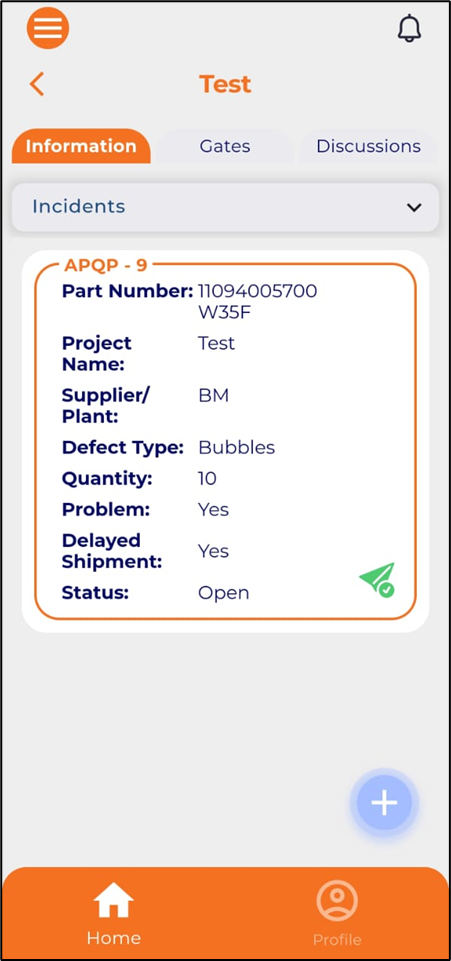
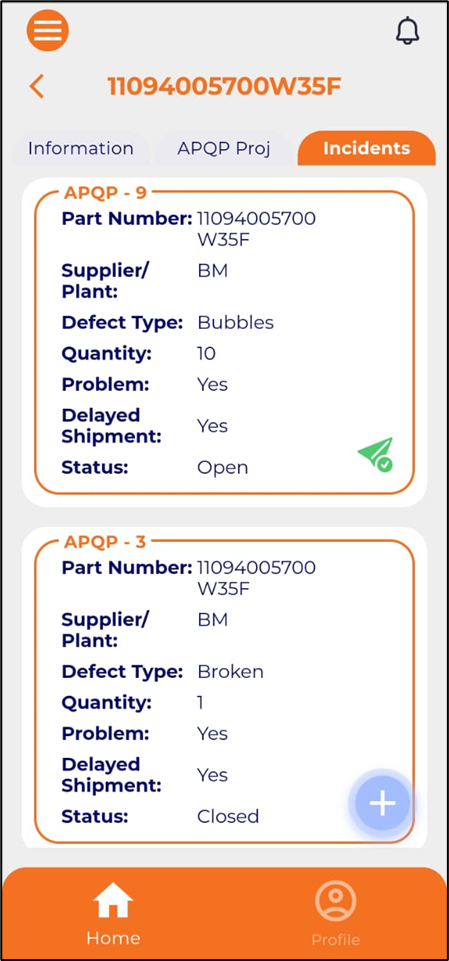
APQP Projects – Project – Incidents tab added

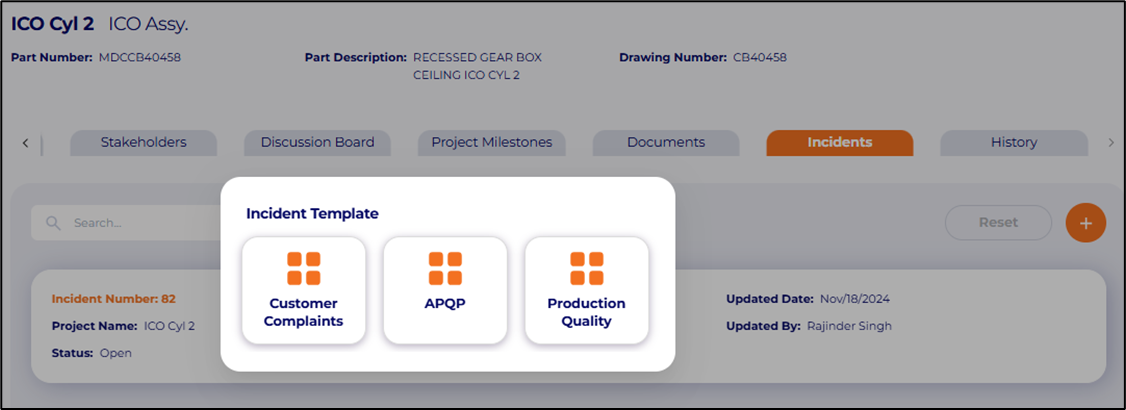
Incidents are now linked with parts and APQP projects and can be reported inside parts and APQP projects.
Nov24_14.pngNov24_15.png

Frequently Asked Questions

Q 1. What is the new Parts Document Management module in the Parts Library?

Ans. The Parts Library now has a document management module that keeps all APQP project documents connected to each part. Users can easily view, organize, and download documents directly from the Parts section.

Q 2. Can I download multiple documents from the Parts Library at once?

Ans. Yes. The updated Parts Library lets users choose several documents and download them together as a zipped (.zip) file for quicker and easier access.

Q 3. What is the new Incidents tab in APQP Projects?

Ans. The Incidents tab allows users to log and track incidents directly in APQP Projects or individual parts. This improves the traceability of quality issues throughout the APQP lifecycle.

Q 4. How do linked incidents help in APQP project management?

Ans. Linked incidents show quality issues at both the part and project levels. They help with tracking problems, finding their causes, and managing corrective actions.

Q 5. What does the PSW Package Generator feature do?

Ans. It lets users create a Part Submission Warrant (PSW) package that meets AIAG PPAP standards after finishing all the necessary PPAP documents.

Q 6. Why is generating an AIAG-compliant PSW important?

Ans. A PSW confirms that the supplier’s production parts meet customer needs. Submitting an accurate PSW leads to easier approvals and prepares the way for mass production.

Q 7. What is included in the new unpaid version of MESH Sourcing?

Ans. All users now have access to a free version of MESH Sourcing. This lets them explore suppliers around the world, view basic profiles, check capabilities, and review MESH audit ratings.

Q 8. How does the unpaid Sourcing version benefit buyers?

Ans. It helps buyers assess suppliers early, find the best matches, and understand their capabilities without needing a full subscription right away.

Q 9. What is the new Special Requirements section in Marketplace Bids?

Ans. Buyers can now add prerequisite questions or qualification requirements to each bid. Suppliers have to answer these before they can submit their pricing.

Q 10. How do special requirements improve the bidding process?

Ans. They help suppliers quickly find out if they are eligible. They also help buyers weed out unqualified suppliers early. This improves sourcing efficiency.

Q 11. What updates were made to supplier certification reminders?

Ans. Suppliers now get automatic reminders for certificate expirations.

They receive these reminders 10 days before expiration and 1 day before expiration. This helps close compliance gaps and prevents business interruptions.

Q 12. Why are advanced certificate expiration reminders important?

Ans. They help suppliers follow quality standards. They also prevent problems in manufacturing relationships or during audits.

Q 13. What are Customer and Vendor codes in the My Partners section?

Ans. These are internal reference codes added to customer and supplier profiles. They help with tracking, data accuracy, and matching with ERP or accounting systems.

Q 14. How do internal partner codes help organizations?

Ans. They lower errors, support consistent identifiers, and improve reporting and integration with financial or procurement systems.

Q 15. What new hyperlinks were added to the Parts Library?

Ans. Parts now include direct links to related RFQs and project requests. This allows for quick navigation and improved visibility of sourcing and engineering activities connected to any part.

Q 16. How do RFQ and Project hyperlinks improve workflow?

Ans. Users can quickly track procurement actions related to parts, confirm project requirements, and ensure that sourcing and engineering teams work together.

Q 17. Is the Incidents tab also available on the mobile app?

Ans. Yes. The mobile app now includes the same Incidents tab found in the web portal. This allows users to report or review incidents while on the go.

Q 18. What can I do with the Incidents tab on mobile?

Ans. Users can:

  • Report new incidents,

  • Review linked part or project issues,

  • Upload photos or details in real time.

This helps resolve issues faster from the shop floor or field.

Q 19. How does mobile incident reporting help quality teams?

Ans. It allows for quick documentation and faster corrective actions. It also cuts down on delays from desktop-only reporting.

Q 20. Who benefits most from the November 2024 updates?

Ans. Engineering, quality, sourcing, and supplier management teams benefit from:

  • Improved documentation.

  • Better incident traceability.

  • Easier supplier qualification.

  • Stronger compliance monitoring.

  • Streamlined bid participation and project visibility.

Release Notes
You may also like